This page is to help you with the basics of cleaning, fixing, and running you computer a little better. If you are continuing to have problem consult a technition. Any major program problems, hardward, or virus programs that may lead to formatting contact an expert in the field. These are only basics that will not harm your computer. The tutorials are for cleaning and fixing tempary problems. They may not fix all problems. Any and all tutorials here are built by me and those online for your use.
Cleaning out Offline and Cookies (temp files)
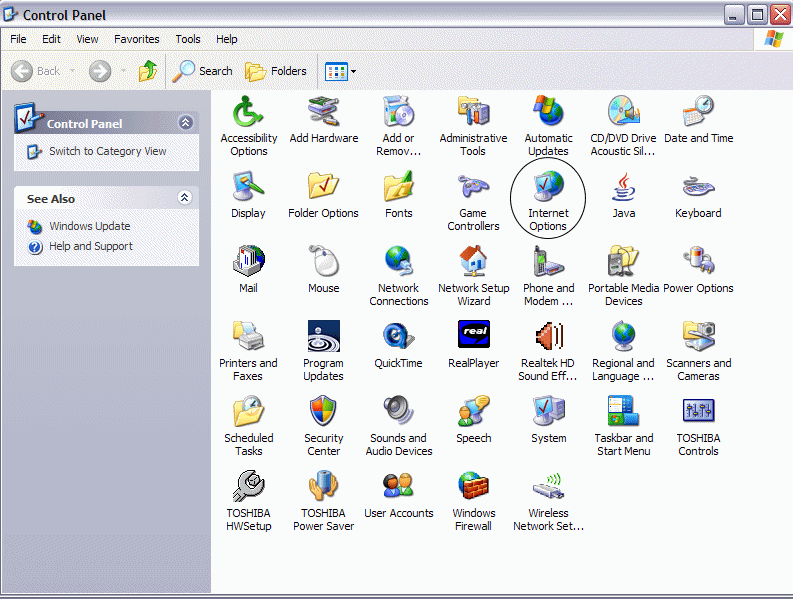
Go into control panel and double click on Internet Options.
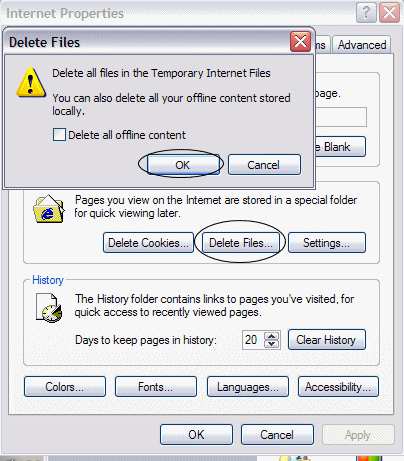
Click on Delete Files, the click ok. This will delete all offline files. Depending on the amount and processor this can take any amount of time. If you hold the mouse over it, it will show the hourglass until it is done.
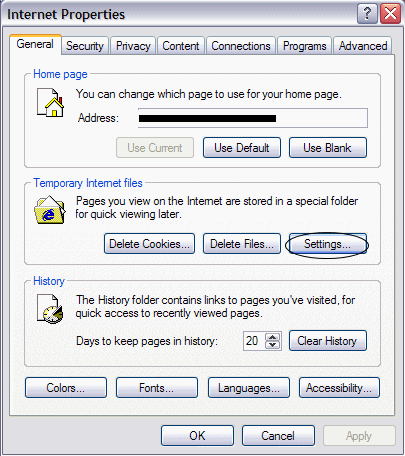
Click on Settings
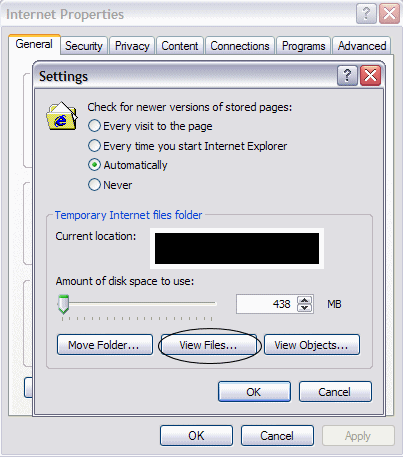
This will open the temp file folder
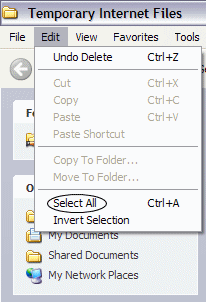
Click on Edit then click on Select All. You will see all the files in the folder highlighted.
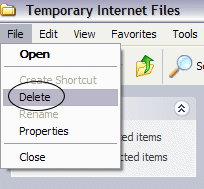
Click on File, then click on Delete
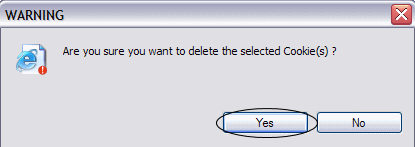
Click on Yes and the files will delete, you are done.
Copy and Paste
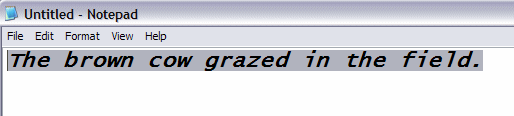
Hold down left click on mouse pass it over the text or what it is that you want to hight.
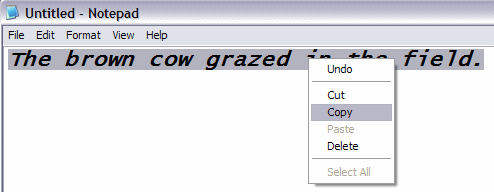 Right click, then left click copy.
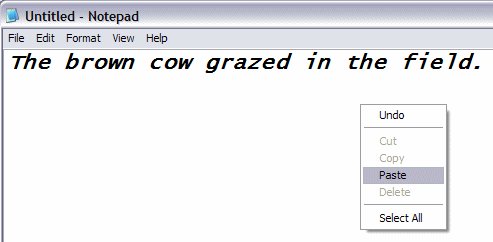
Put the mouse where you want to paste. Right click then left click Paste.
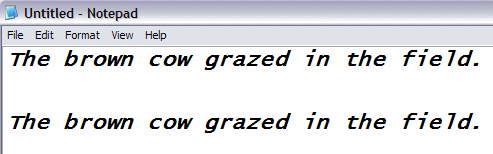
A copy of the text should appear as it does the second in this diogram.