
HOW TO MAKE HTML HELP (.chm File)
You need the HTML Help Workshop to make a chm file. There are many softwares available on the net for making HTML help files. But HTML Help Workshop comes with the Windows OS. It's trial version is also available on the net.
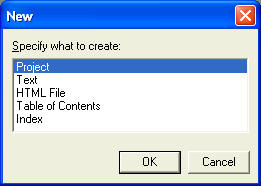
To make a chm file using this software, you need to make HTML or HTM pages of all the information you want to provide. Start with creating a new project. If you have made any htm pages then add them to the resources. If you have any index or contents files then add them to the project too. The HTML Help Wizard will guide you through the entire process.
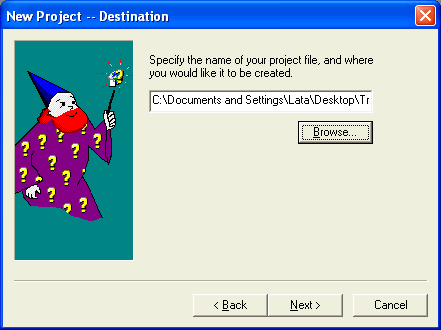
The wizard asks you the location of the Help file, TOC (Table of Contents) file and Index file. It also asks you for the location of the HTM pages (if you have created any and want to add them to the project.)
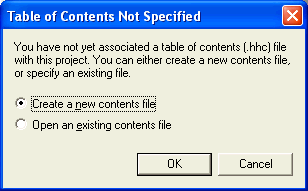
If you have not created any of the files (TOC or Index), the wizard will ask you to create the files at design time.
You can then add any topics you want. The topics can be indented to be grouped together under a heading. The icon for the topic can be changed from the Advanced Tab. Specify the location of the HTM page to be displayed when that topic is clicked.

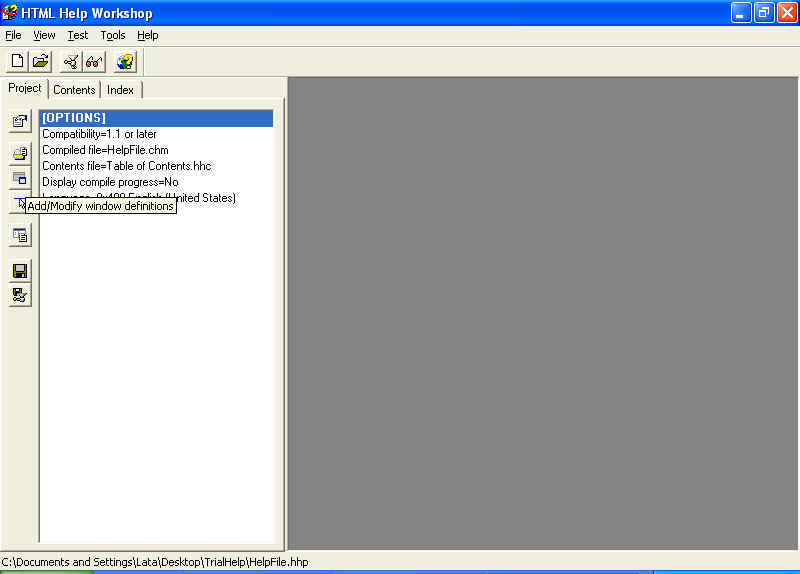
When you have added all the topics to the help file, compile it to make the chm file. To compile the file, click on the Project file and click on the "Save and Compile" button.

This will create the chm file. You can also add a "Search" and a "Favorites" tab to the Help file. For that click on the "Change Window Definitions" button.
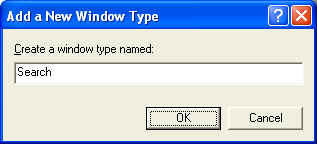
You will be asked for the name of the new window. Enter the name of the new window and click on the OK button.
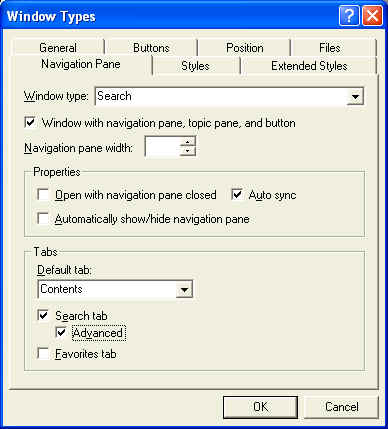
In the "Window Type" dialog that opens, click on the "Navigation Pane" tab and check the "Search Tab" and "Advanced" check boxes. You can change any properties like Navigation pane width, default tab etc.
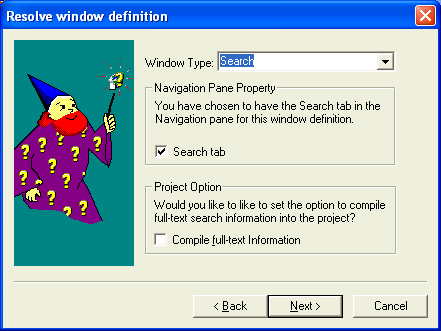
The wizard will now add the new tab to the help file. It will not be shown in the project but when you compile the file, you will be able to see the Search tab in the chm file.
To exclude certain words from search, create an stp file (notepad file with all the words to be excluded, one in a line.)
