
Title:
Horacio Moreno ITEC 5321 Spring 2006
Lab Narrative and Reflections
Information Security Management, Analyzing Network Traffic, Scanning and Enumeration
Purpose:
This lab helps in understanding the importance of physical security. It also helps us understand how to use packet analyzers. The lab also explains how to use scanning and enumeration programs to find open ports and list live systems.
Tools:
Ethereal. Linux Shell, Lynx (text based web browser), Ping command, SuperScan Scanner, Windows 2000, NMapWin scanner, NetBrute Scanner, LANGaurd enumerator, windows commands: Net Use, nbtstat, and SNScan enumerator.
Lab 6A-6 Physical Security Assessment
Ethereal Labs from Computer Networking: A Top Down Approach
Lab 5B-2 Traffic Analysis Using Linux
Lab 2A-1 Port Scanning Utilities for Windows
Lab 2A-2 Active Stack Fingerprinting Using Windows
Lab 2A-3 Enumeration Using LANguard in Windows
Lab 2A-4 Generic Enumeration Using Windows
Lab 2A-5 SNMP Enumeration Using Windows
Procedures:
The first thing we focused on was physical security, so we answered a short questionnaire which determined if physical secure was adequate in our computer lab. Our room had locks on the doors, a fire extinguisher, a lab admin always present, and an alarm for after hours
We then moved on to protocol packet analyzers. We captured packets for a moment with Ethereal.
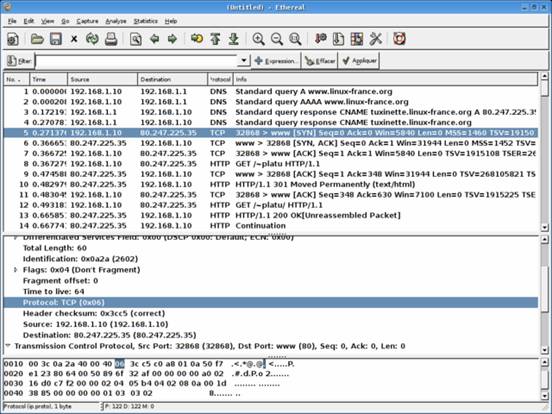
Then we captured packets with Tcpdump from the shell by generating network traffic with Lynx. The highlighted text shows traffic generated by my lab partner’s computer when he pinged my computers IP address.

We then moved on to network scanning and enumeration. To start off we used Superscan scanner to scan for open ports on all the computers in our subnet.
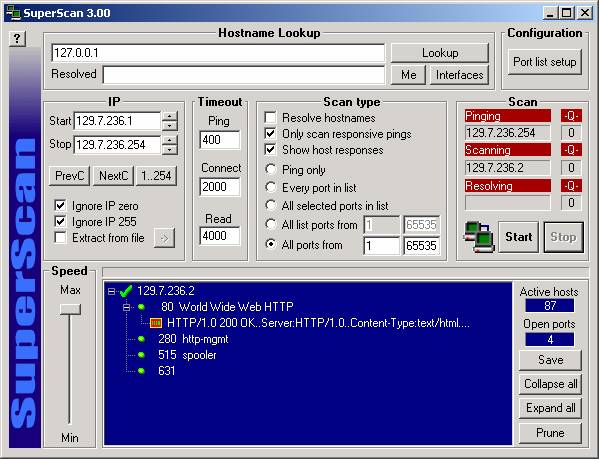
Next we did some stack fingerprinting with NMapWin for Windows which is used to identify the operating system on remote machines using common network protocols.
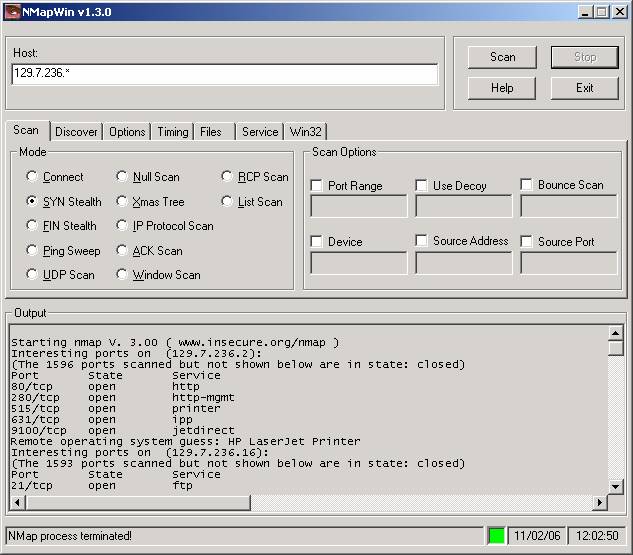
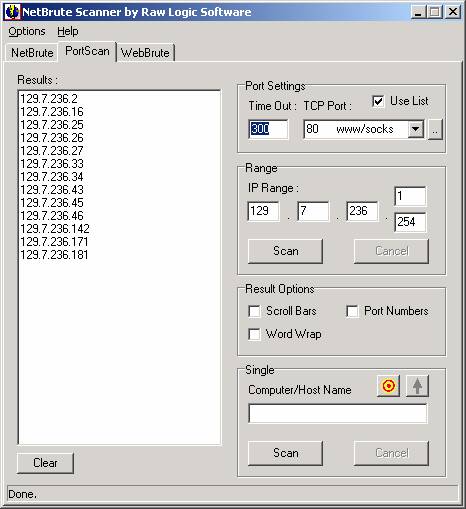
NetBrute was third application we used for network scanning. The third tab of this program WebBrute can brute force attack a web server to gain access.
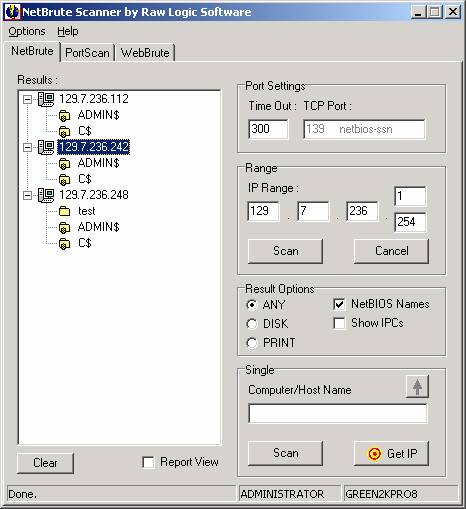
Following that we did enumeration with LANGaurd in Windows. Enumeration is the process of identifying the resources on a particular network node that are available for network access.

Then we used the Net use and Netstat commands to enumerate from the windows command line.
C:\Documents
and Settings\Administrator>net use
\\129.7.236.242\IPC$ "" /u: "":
The
syntax of this command is:
NET
USE [devicename | *] [\\computername\sharename[\volume] [password | *]]
[/USER:[domainname\]username]
[/USER:[dotted domain name\]username]
[/USER:[username@dotted domain name]
[[/DELETE] | [/PERSISTENT:{YES | NO}]]
NET
USE {devicename | *} [password | *] /HOME
NET
USE [/PERSISTENT:{YES | NO}]
C:\Documents
and Settings\Administrator>net view
/domain:cougarnet
C:\Documents
and Settings\Administrator>nbtstat -A
129.7.236.242
Local
Area Connection:
Node
IpAddress: [129.7.236.242] Scope Id: []
NetBIOS Remote Machine Name Table
Name Type Status
---------------------------------------------
GREEN2KPRO8 <00>
UNIQUE Registered
WORKGROUP <00> GROUP
Registered
GREEN2KPRO8 <20>
UNIQUE Registered
WORKGROUP <1E> GROUP
Registered
GREEN2KPRO8 <03>
UNIQUE Registered
MAC Address = 00-0D-56-BE-CE-54
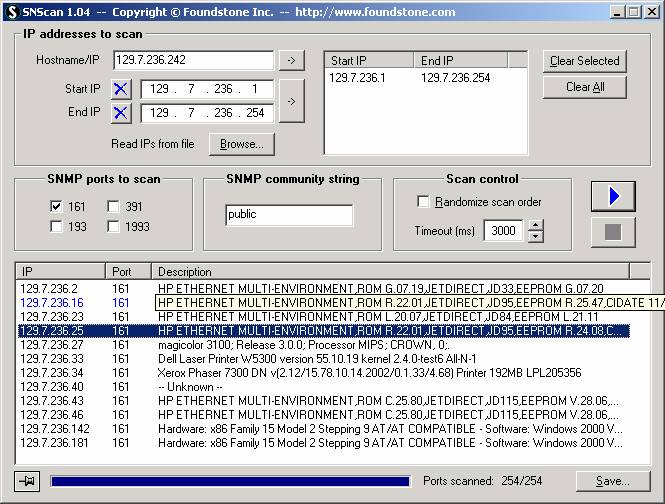
We concluded the lab by doing some SNMP enumeration in windows. SNMP is an application layer protocol that allows for the transmission of management information between network devices. Network administrators use this protocol to troubleshoot problems and plan for network expansion. Here you see network devices below because most are not aware that they should change their community name string in their SNMP service, from public to something else to avoid such easy enumeration.
Analysis:
Having physical security is vital because without it you have no kind of security at all. Network scanning and enumeration is only possible by first footprinting (whois, nslookup, host, dig, zone transferring) a network. Once an organizations network layout has been attained the next step is to run vulnerability scanners on all vital live systems and find exploits if you have nefarious intentions. If however you are security consultant the reiterate process of security hardening through layers begins again. Finally penetration testing will allow you to test your newly improved standing point.
Time:
About 5 hours
Reflection:
Once I completed this lab and went over the first one the full scope of the process of ethical hacking finally shaped in my head.
