JAVA
has the capabilities to connect to various forms of database servers.
It can also utilize the Windows ODBC32 to connect to various databases
such as Microsoft Access and others.
This
sample application connects to the Microsoft Access file through
window's ODBC. To look for the Windows ODBC setup, first go to the
control panel and look for ODBC32bit.
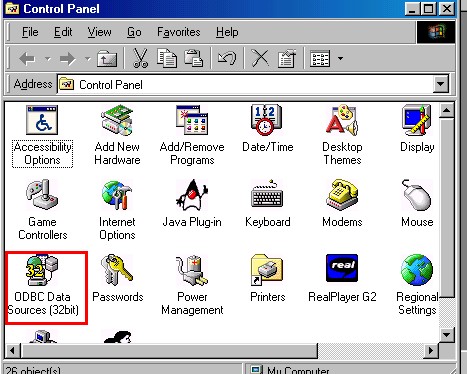
Double
click on the ICON. And go to the DSN (Data Source Name) Tab.
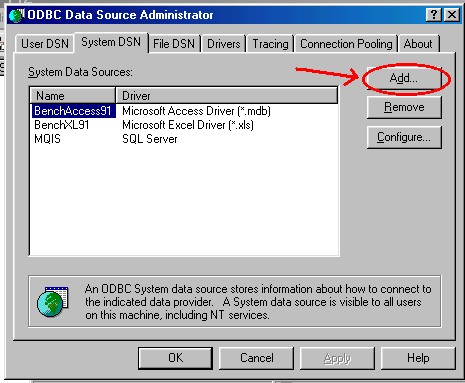
Click
on the add button create a DSN. Point the DSN to the location of
the Microsoft Access File. NOTE: The DSN File should be named Sample.
The DSN "Sample" can treated now by JAVA as a DataBase
Object.
The
Access Database can now be accessed through this DSN. The Java
Source Code should be saved as DBex.java
To
query the Access Database, you can execute SQL commands using the
DBex.java.
To
use DBex.java, execute java DBex "<place
SQL query here>"


