
|
||||||||||||||||||||||||||||||||||||||
 |
||||||||||||||||||||||||||||||||||||||
|
||||||||||||||||||||||||||||||||||||||
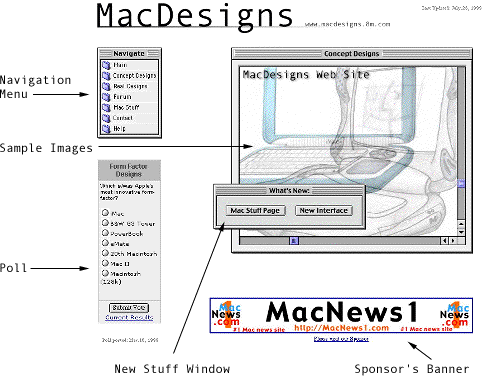
| The MacDesigns web site's interface was designed to be very straightforward and simple. You can visit any main page on the site directly from the "Navigate" window that is displayed on most of the pages. If you do not see the Navigate menu on the particular page that you are on, there will be a back button, which will allow you to get to a page with a Navigate menu. The "Action" window also provides you with options for browsing the site. Not all windows have links, some just show graphics and have no other function. Each of the Menus and their respective links are explained below. | ||||||||||||||||||||||||||||||||||||||
 |
||||||||||||||||||||||||||||||||||||||
|
|
||||||||||||||||||||||||||||||||||||||
This Navigate menu can be found on most of the MacDesigns pages. Here is what each of the menu's items do:
The "Action" window is found on some of the pages, and here is what each of the menu's items do:
|
||||||||||||||||||||||||||||||||||||||
 |
MacPromote Xchange |
|
This site is not affiliated with Apple Computer Inc. in any manner.
|
 |
|
