How to make a transparent gif in PSP
by MdnyteShadow@aol.com
For this tutorial you will need a tube of your choice
I will be using this one...
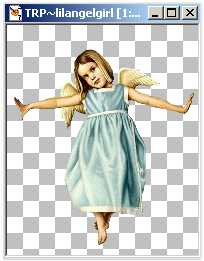
Open a new image 400 x 400 on a transparent background
Copy your tube and paste it onto your transparent background as a new layer.
Add a new Raster layer (layers, new raster layer)
Now add your text (this step is optional)
Add whatever effects you want to your text (inner bevel etc.) Drop shadows do not work well with transparent gifs.
Now go to layers, merge visible
Go to file, Export, Gif optimizer
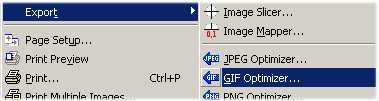
Click on Use Wizard at the bottom
Check, Use existing transparent areas
then click next
choose a color that is closest to your background color.
If you are going to use it on a dark background (primarly black) choose black.
If you will be using it on a light (primarly white) choose white, etc.
Then click Next
Check No, use the best colors
Then click next
Click next again
Then click on finish
Name your file and click on save.
You now have a transparent gif.
Here is mine :)