|
Directions for Copying an image
- Use the marching ants tool to copy your apple to use on a new page,
and to make multiple apples to count.
- Click on the marching ants tool.
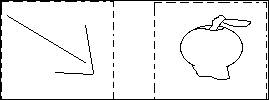
- To select the apple Click above the apple on the left side and
hold down the left mouse button.
- Pull down-ward diagonally.
- When the box surrounds the apple you are ready to copy.
- Repeat the process until box surrounds the apple correctly.

Under File, go to Edit to Copy.
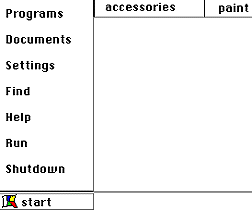
Reopen the paint by clicking Start up to Programs and pulling
to paint with mouse.

- On the new page go to edit to paste the apple.
-
|


