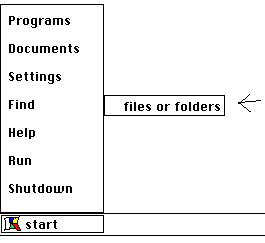
Using the Find Tool
Use the
Find
tool to find a file
Using your mouse click on
Start
with the left button.
Put mouse arrow on
Find
.
Type in apple or the file you need to find, and click
Find Now
.
Click on the word apple to open the file.
Exit find