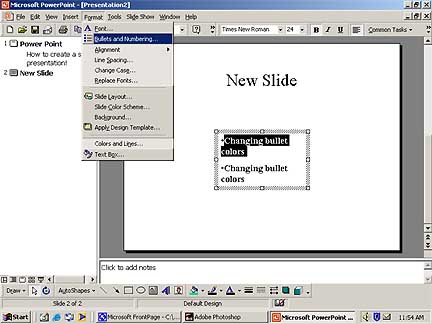
Changing Bullet Color
1. Select the text whose bullet color you what to change.
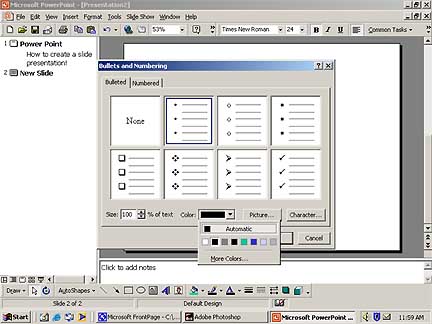
2. On the Format menu, click Bullet. Click the arrow below Color. To change the default color, click Automatic.
Tip
To change to a color in the color scheme, click one of the eight colors below Automatic. To change to a color that isn't in the color scheme, click More Colors. On the Standard tab, click the color you want, or click the Custom tab to mix your own color, and then click OK.