Danger, danger Trekie, the next steps in your cyberspace Tech Trek are listed below.
Saving and Printing Your Work
|
|
1. When you finish, your pages click on the menu
2. Name your presentation, and then click Save

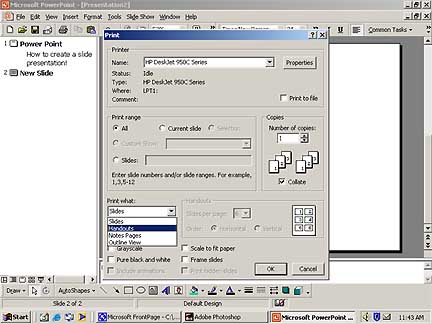
4. In the Print What box, click the number of slides you what on the handout, and then click ok