Macintosh Basics
Saving a Flash Card Using Claris Works
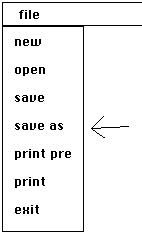
Click on the word file at the top of the screen when you are ready to save your finished flash card.
Pull down to save as, and type the word apple
Click save.
4. Then pull file down to exit