 |
||
You can add Hyperlinks which link you to other web pages on the Internet! |
||
 | ||
Step 1To add a Hyperlink to your TWiki page.... Pull down the screen and press the Edit button, on the bottom bar. |
 | |
| ||
Step 2 | ||
You are now taken to your TWiki EDIT BOX, this is where you will add your Hyperlink! |
||
Hyperlinksare easy to add to your TWiki page!All you need to know is the address of the page you want and a name for the link! For example if a want to create a link to..... and call this Hotmail Just type in this...... [[http://www.hotmail.com][Hotmail]]Another example could be a link to Ask Jeeves Kids : [[http://www.ajkids.com][Ask Jeeves Kids]] |
This is what the EDIT BOX looks like! 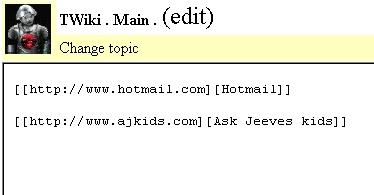 |
|
| ||
Step 3 | ||
When you have done this, you can see your Hyperlink on your TWiki page! | ||
The buttons look like this! |
||
Click PREVIEW CHANGES, to check it's OK! Now click SAVE CHANGES at the bottom of the screen! |

 |
|
|
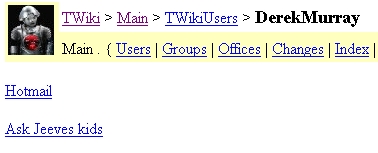
And that's it!! You can now see your Hyperlink on your TWiki page! |
||
| ||
The result will look like this! |
||
|

|
|