
If you are reading this you are most likely aware that two things are required to view ‘World Wide Web’-pages:
Lets examine on an entry level some ways in which the browser works with a code know as HTML to produce Webpages.
Internet Browser’s like "Internet Explorer" or "Netscape Navigator" read a code called HTML. HTML is a collection of ‘tags’ which tell the browser how to display the page. This collection of tags control the background color, color and size of text, the location and size of any pictures displayed on the page as well as any background graphics or sounds.
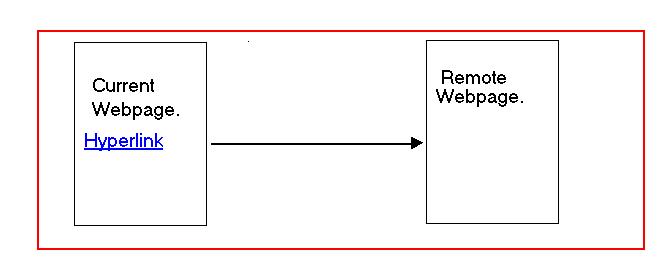
HTML stands for Hyper-Text-Markup-Languager.Hyper text refers to the ‘Hyperlink’ function of HTML. Within the body of the HTML code an adress (path to) another webpage is set. A display word or phrase is then linked to the path or adress of the page. When your mouse pointer is positioned over this display word or phrase it changes to a hand indicating a ‘hyperlink’. Clicking your mouse pointer on a hyperlink activates the path taking you to the second page.
 On the next page is an example of HTML. This code is typed exactly as shown into a simple text editor.
A common easy to use text editor is Microsoft’s notepad. It is free with the Windows 3.1,95,98 or 2000 operating system.
The file is then saved with the extension of .html or .htm (no difference). This is done in Windows 95 or 98 by selecting from the File menu: File then Save-As. In the save as dialogue box you would type FileName.HTML or FileName.HTM(replacing file name with your own. When you view the file now it will have a large blue ‘e’ indicating it as a webpage. Open the file and ‘Internet Explorer’ will interpret it as a webpage displaying it in its own window the same way in which it would be viewed if displayed on the web.
Sample HTML:
----------------------------------------------------------------
<HTML>
<HEADER>sample1</HEADER>
<TITLE>Sample Page1</TITLE>
<BODY> <b>This text is the body of this sample webpage. </b><br>
<A HREF="C:\WINDOWS\Desktop\Sample2.HTM">
Display Text</a>
</BODY>
</HTML>
When none are set the browser uses default- black text on white background. Also notice the text that begins with <A HREF and ends with </a>. Here you have two HTML tags and their parameters. <A HREF="path"> is the opening tag. In the path section you would indicate the adress of your second webpage.
On the example above I placed the link pointing to the Windows desktop. A second page will have to be created on the desktop or the link will be invalid. If you like you could simply repeat the same code and save it under Sample2.html.
After the end of the opening tag > what ever you type will be displayed to the person viewing your webpage. Next you have what is know as a closing tag (</a>) this is the end of the hyperlink.
For more information on HTML there are several HTML tutorials on the Web. My favorite is "The Barebones guide to HTML" by Werbach.
Back to Main Menu
