|
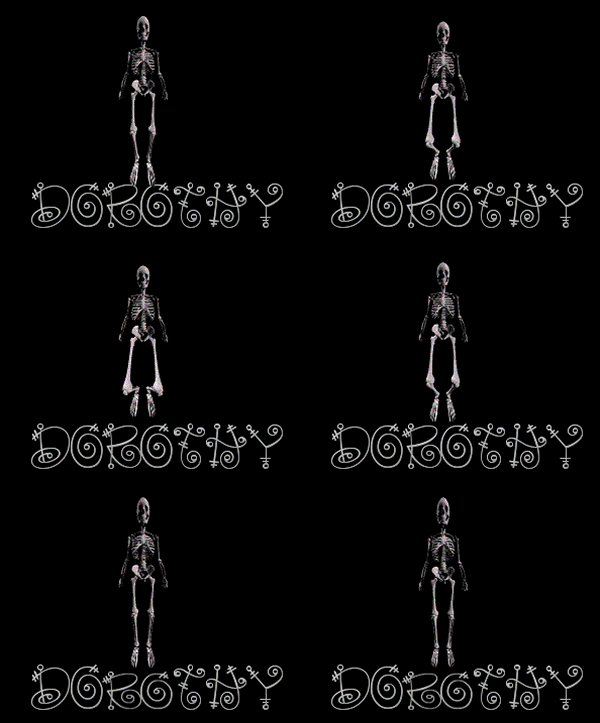
This isn't really much of anything, just a skeleton
I found on the web and couldn't figure out what to do with it
Written byİDorothy, October/2005
........................................
Open your text and shrink it ot task bar if you are using mine...
open template in PSP...close of all layers except S1...and background....add a new layer and with your
text tool ...size set at 72...stroke set at null...colour set at white or your choice...
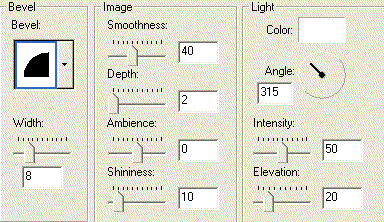
floating and antalias checked...type your name and while it is still active add this inner
bevel
now place the name so his feet are standing on one of the
letters, or you can place them on 2 letters if you wish
Your layer palette should look like this
1)Open background...text...S1...
edit...copy>merge....in AS...right click and paste as new animation
2)Close off S1...open S2.....edit...copy>merge....in AS..
.right click and paste as new animation
3)Close off S2...open S3.....edit...copy>merge....in AS..
.right click and paste as new animation
4)Close off S3...open S4.....edit...copy>merge....in AS..
.right click and paste as new animation
5)Close off S4..open S5......
edit...copy>merge....in AS..
.right click and paste as new animation
6)Close off S5..open S6...duplicate text...close off the original....with the lasso
tool...lasso around the letters you want him to make jump...click to tighten the
ants...click the de form tool and with the middle node...drag
down the text just a little...
edit...copy>merge....in AS..
.right click and paste as new animation
7)Close off S6..open S7.....edit...copy>merge....in AS..
.right click and paste as new animation
8)Close off S7..open S8.....edit...copy>merge....in AS..
.right click and paste as new animation
Just save as and make sure when the Animation Quality versus
out put size comes up...click on the customize button...
then click on the Optimization tab and take out the check mark in write
minimal frames
And that's all to this one, don't even have to change the speed unless
you want to
|