Communications Technology
Lap Report- Cakewalk Audio Pro
By Alana Chircop
Cakewalk is an audio program used to record, edit and play MIDI (Musical Instrument Digital Interface) files. This program is powerful because you are able to edit the music to a high degree. You can also have multiple soundtracks at once in different layers.
Layout:
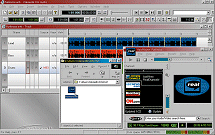
On the screen you will find the menu (full of controls), Control bar (buttons you will be using frequently) and the Message Line (shows temporary messages)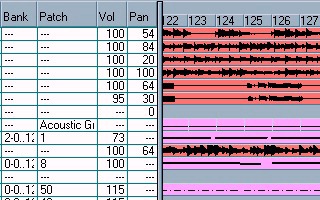
To load a song, go to File, open, and locate the source of your file. To play the song, simply press the play button from the Control bar or press the spacebar. Click Track, Solo to solo the track, press the un-solo to undo this. 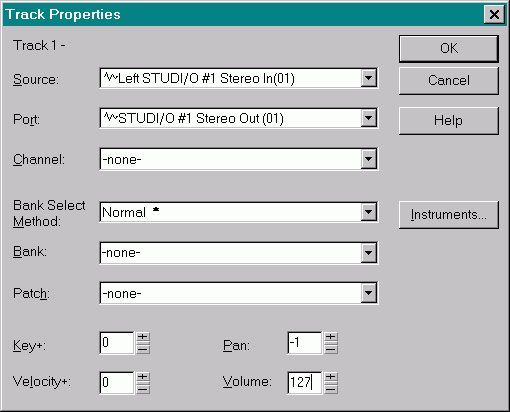
Recording a MIDI:
Type the name in the name column. To change the properties, right-click and select ‘properties.’ This displays new options. This is where you can change the instrument by clicking patch and choosing one from the list. All the tracks on the same channel will use the same instrument.
*Drums will only be played on track 10.
To view the track in a staff, right click the name and press staff. A new window will open, where you can view the notes on this layer. You may play them into the staff or write them in with the pencil tool.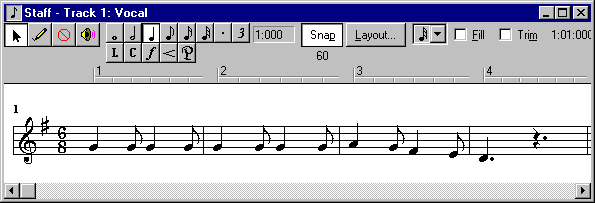
First select the note value and then click the position on the staff. To delete, press backspace or highlight a selection and press delete.
To save a song, click file, save.
Saving as RealAudio:
Step one:
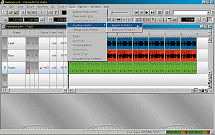
First you will want to convert to RealAudio, to do this, select the tracks and click export form the Tools then Mixdown menu. Choose the place you want to save it to, name it and save it as a RealAudio file.
Step two:
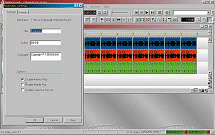
A screen will come up and you can then enter the title, author and copyright information. The Format tab adjusts the quality of the sound.
Step there:
Find the location of the saved file and you can then open in RealAudio with much better quality.