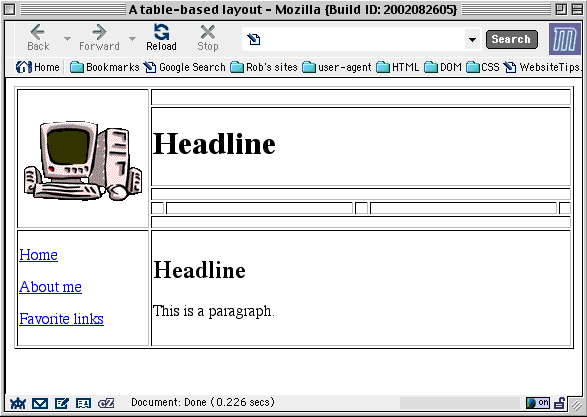
As you already know, tables were not designed for pixel-perfect layouts, but only to arrange data in rows and columns. Table cell heights are even more likely to be ignored than widths. One exception is a table cell that contains an image; the cell normally adopts the image’s height and width.
Web authors exploit this feature by using a transparent image to control a cell’s dimensions. A GIF file can have a transparent background. Height and width can be controlled by the <IMG> tag. So all that’s needed is a transparent GIF that is 1 pixel wide and 1 pixel high.
To download a 1x1 “clear” GIF, follow this link and save the (invisible) file to your local machine as clear.gif.

You can now control the height of rows above and below the main headline. In the first, third and fifth rows (where you see colspan="5") and all five cells in the fourth row, insert the following tag:
<img src="clear.gif" height="8" alt="">
Remember, the alt attribute is required, but its value should be left blank in this case. (Some authors write alt="spacing image" but this means that users with page readers will hear the words “spacing image” read aloud to them repeatedly!)


