

Instructions Page 2
This page is for you newbies out there who don't know how to use my Tubes =0P
PROBLEMS Many of the tubes won't download. I'm trying to fix this problem...but i really don't feel like it because i had everything working..then angelfire did something that messed up how zipped files download. I spent over 16 hours fixing that problem and now you are downloading .psp images. They take up ALOT of space and i had to get 3 new pages just to upload them all. And i'm just plain tired of fixing problems that i didn't create and shouldn't have to fix. SAVING THE TUBES • The best way is to simply click on the jpg image of the flare and you SHOULD get a download screen.
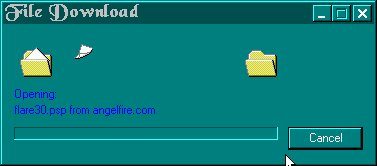
• Save the .psp to a folder you can reach easily in Paint Shop Pro 5 • If you don't get a download screen, try right clicking and selecting "save target as...", sometimes that works
 HOW TO EXPORT THE TUBES
• 1st click on the picture and download the .psp file
• then open the .psp file in Paint Shop Pro 5
• then click on file>>>export>>>Picture Tube (a new screen called "Export picture tube" should show up now)
HOW TO EXPORT THE TUBES
• 1st click on the picture and download the .psp file
• then open the .psp file in Paint Shop Pro 5
• then click on file>>>export>>>Picture Tube (a new screen called "Export picture tube" should show up now)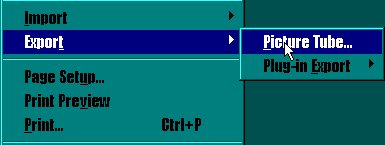
• then name the tube what ever you want where it says "Tube Name" on that new screen and click ok • then yer done USING THE TUBES • 1st have psp5 open • then click on the tools button called "Picture Tube"
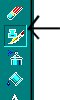
• then click on the button called "Toggle Control Palette" (You can use this to pick which tubes you want to use)
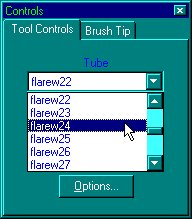
• then just simply click on on the image n it pastes the tube on it • And your done
Copyright © 1999-2000, KiKn Enterprises - All rights reserved.