

PLEASE READ ALL INSTRUCTIONS
Ok first thing to do is download file 1 get it HERE
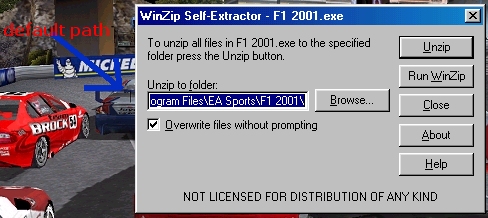
Open the file and make sure the path to F1 2001 is right.
The file is set on the default path C:\program files\EA Sport\F1 2001.
If it's different change it.
Ok now we have to Copy all the tracks into the V8upercar track folder.
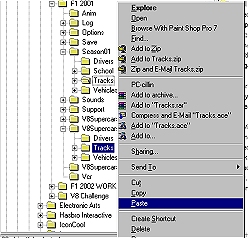
Go into window explorer like so
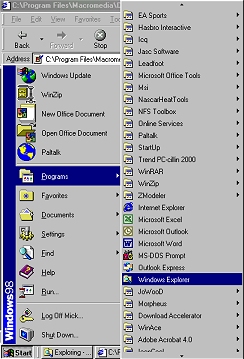
Find Ea Sport F1 2001 and the season01 track folder
Highlight the top folder or file with the left mouse button like so
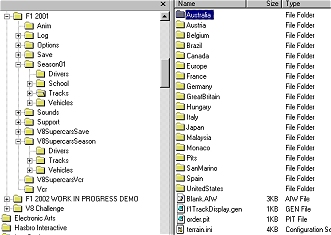
Then hold down the shift key and press on the last fileto highlight all
then right click and press copy like so
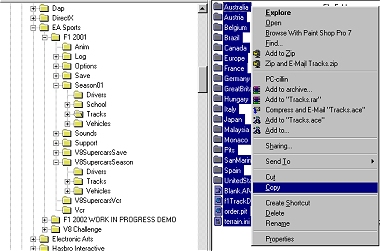
right click on the v8supercarSeason tracks fold and press paste like so
overwriting all
Ok now get file 2 HERE
Same instuctions as the top of page.
Ok now download these small file and do as the instruction at the very top.
Ok now open config.ini and v8config.ini by double clicking on them like so
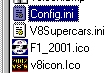
Then high light all the text UNDER GRIDSIZE=22 BY HOLDING THE LEFT MOUSE BUTTON
CPURATING and draging it to the bottom of the page , and then right click and press copy like so
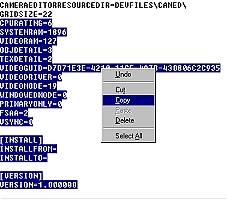
Then in V8config highlight everything UNDER GRIDSIZE=22 under right click and press paste.
close and save.
Here's a short cut to place on your desktop, just download and unzip it to you desktop
Get it HERE
And last of all the setups HERE, put these in your V8supercarssave folder under your name.
You will have to setup a play profile in the V8 mod first.
Sounds a lot but should only take a couple of minutes.
Enjoy
