
| Installing Scenery In CFS | ||
|
To install CFS or FS98/FS5 scenery is easy and should be. First step navigate to the add screen. 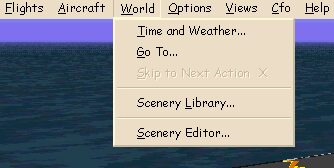
Click Scenery Library (Note the Scenery Editor Next topic) You will see this screen 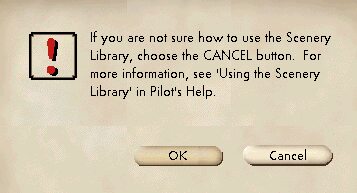
Click OK Now you will see this screen 
Click Files Now this is the main edit window. 
Now to add a scenery just click Add, to search your hard drive or a CD click search and it will find folders that contain bgl files. 
This is a look at a edit of a existing BGL scenery files... 
How to locate your BGL files by directory on your computer. This is what mine looks like. 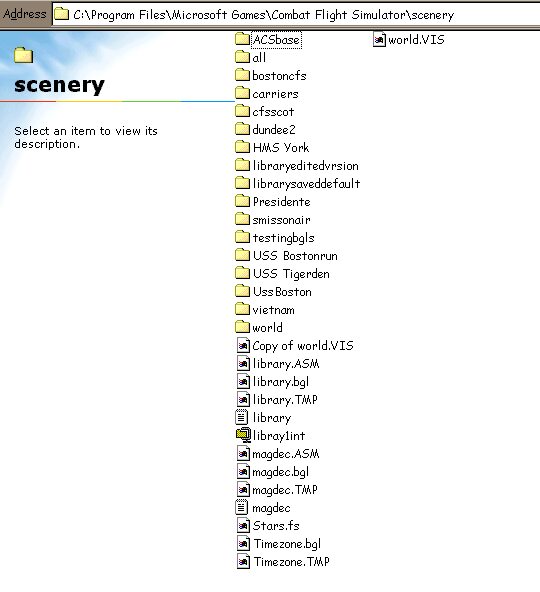
Say i just got a new scenery its is called "ACSbase" note the folder.. To add this to CFS just start the game and when in free flight press Alt Tab to minimize CFS Navigate to your new Scenery Folder. (The folder should contain 2 sub directories scenery and texture not scenery's and or textures if there is an s or other name its wrong CFS will not use the folder you must rename) 
Now i just added \ back slash and *.bgl to the ending of the file directory. (\*.bgl All bgl files in this directory). Now Alt tab again back into cfs with the link copied to your clip board and paste it into the add scenery text box Now the scenery area title will allow you to make a name. Then click and X the Scenery area active check box and then exit clicking ok to all. Your scenery might show up in Goto or in advanced scenery listings. This should do it for you.. Kirk Long Download this as a complete help file it will open on your computer in your browser you do not need to be online to use it... This will show up just by clicking the Install.html document. Download Scenery Help for your computer as a zip |
||