
Go Back Home
Installing Aircraft For Flight Simulators
By using exsplorer for windows you can navigate to your C:\Program Files\Microsoft Games\FS2000 main folder.
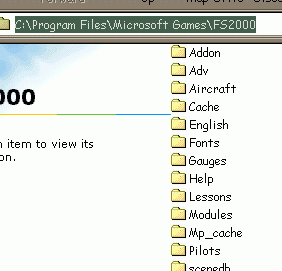
Now we will open the aircraft folder where you can place the complete folder of the aircraft LESS the gauges
folder or zip archive.
Note C:\Program Files\Microsoft Games\FS2000\AIRCRAFT is your aicraft folder in CFS CFS2 FS2000 and FS2002.
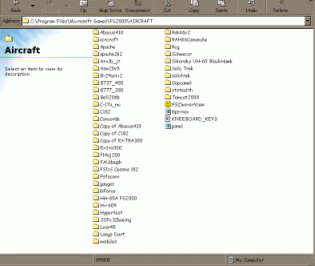
Be sure to look at Microsoft's default aircraft to see how there data base is set up for there aircraft.
In most cases the aircraft should have a main folder after unzipping it from the zip archive you have downloaded from the internet.
And in this folder should be a set of folders and files.
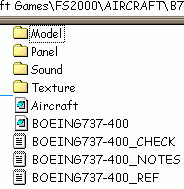
And inside each folder are files that FS needs in order to work. The Model, Panel, Sounds, and Textures. Also the aircraft.cfg and modelname.air files in the main aircraft folder.
All of these files should be placed into a main folder to make up a full aircraft.
After unzipping the archive we moved the FULL aircraft folder by copying and pasting it into the C:\Program Files\Microsoft Games\FS2000\AIRCRAFT folder. Now if gauges are found with your archive we need to unzip them, copy and paste them into your C:\Program Files\Microsoft Games\FS2000\GAUGES folder overwriting is fine. Overwriting gauges will not change the look of them.
What have we learned:
Folder location's
How to install Flight Simulator Aircraft
Folders needed in each Aircraft Folder
Is this a help to you?
Do you need more information?
Would you be interested in EXE self installation files?
Answer these questions... Send them to our help team Freecerver United Software