
 News Maps Prefabs Tutorials Contact About VTLD Half Life Atlas The Snarkpit [Baka] Link? Link? | .
|
|  FailSafe The Level Designer For starters, I got this idea from Ferret and his "Panel Texturing" tutorial. I decided to show how to make a raw image into a texture. For starters, get something like this: 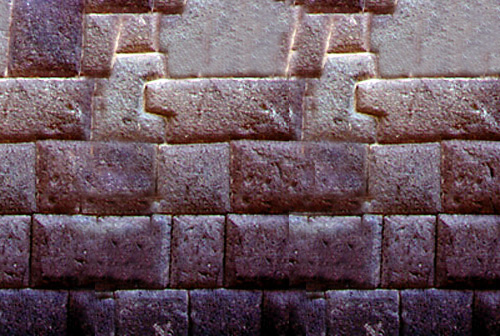
Ok, now that you have the image, open photoshop and open your favorite Internet Browser, go to The Snarkpit, and read that tutorial. If you do not understand it, then earn more experience in photoshop. If you do, then please, continue on reading. Go ahead and copy and paste what parts of the image you want. After that, go to 
Make it so that it offsets about 16 pixels width and height. You will now see a very untiled image: 
Click on the  (stamp) tool Use the cloning method of ferret's tutorial. While your working on it, it should look something like this: (stamp) tool Use the cloning method of ferret's tutorial. While your working on it, it should look something like this: 
Continue doing this and offsetting the images and you will end up with a somewhat odd looking texture in my case. Actually it's my fault, I saved it as a low quality .jpg, thus making it blury. Oh well, an ugly example, but I hope you will find this useful. 
|

